In this technology world, we work every day seamlessly to build applications, delivering services, implementing solutions, or might be serving customers in their environments. In this fast-paced world where everything known in technology is multiplied twice every 18 months. Thousands of organization needs a solution to monitor their infrastructure, network, applications, and end-users. This is where performance engineers come in. Being an engineer is not about having your engineering degree in some IITs or some colleges. No college is teaching how to measure the performance of an application or software that you build or your customers build.
Quality of your applications, Apdex of every user action that the user performs in an application on the client-side to how your application behaves on the server-side analyzed by these engineers. This unique skill comes only when you have the most important attribute in you — An understanding of the architecture of an application. Let me tell you a simple story about how the application works and what happens in the background while you are interacting with it. Let’s dive in….
Imagine you are having some trouble finding a pet store nearby or your pet is hungry asking for food (Pedigree in my case). You are new to the town and you don’t know where to find a supermarket or a pet store.
You suddenly remember Google Maps or Apple Maps and open it on your smartphone. Start searching for the pet store by typing a keyword/phrase, “Pet store near me.” Your mobile app starts communicating with the network. Underlying in the network layer, there will be communication happens that is called the TCP/IP connection.
It points toward a server that it needs to communicate with and it hits that server — In this case, the server can be a physical computer with an Internet connection of virtually created machines on cloud providers like Azure, GCP, or AWS.
In that server, the software will be installed where it is responsible for giving a response to your request. That is called a web server or application server which serves the request from that client — that is you in this case — and sends a response back to the client with results over the network. The network uses encrypted or non-encrypted connections based on HTTP or HTTPS.
I am not talking about DNS here. It is a whole different story though. For now, let’s stick to the point where we all understand how requests and responses work. Your map application is designed to send the request to the webserver with the following content, Location, Key Word — Pet Store, and with some basic information like your session information that usually every application out there will collect based on your consent. When the request is sent to the webserver over the network, depending on your network connection whether it is metered or unlimited, fast or slow, it sends the data.
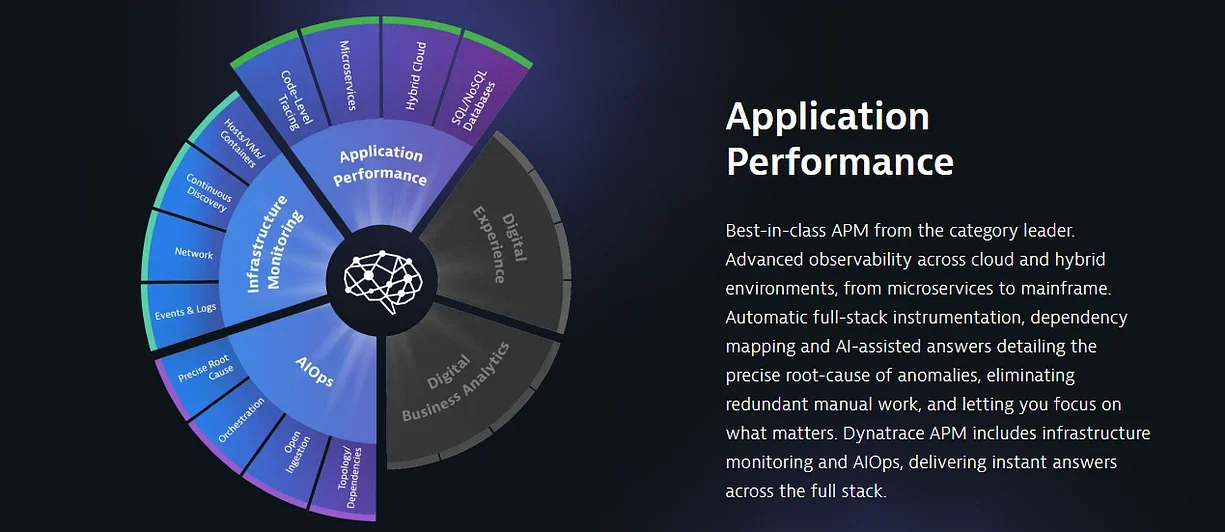
Once data is sent through the network, the server looks for the program that is designed to process the search and it looks up to the location you are in then executes the algorithm that is written by developers, and then it processes the results based on the keyword and location.
It connects to the database to find pet shops near you. This execution has got a series of steps and actions to complete and all this happens within a second. How cool is that, isn’t it? This is the beauty of technology especially programming and networking.
Now, you got the result and you find a shop near you. Finally, your dog is not hungry anymore. You have bought the pedigree and fed it with it. It is happy and you are happy. So let’s move on to measure the performance of the application. You got results for your search within a second. Imagine, what if the results came back from the server 15 minutes after you query the keyword in maps??? It is better to search shop all by every self instead of using technology right?
Technology is there to help us and get things done quicker than before. Help people, explore unknown places and to expand everlasting knowledge. Using technology for everything where it is not necessary could be very fatal to you mind. You start to show laziness as new invention makes your life easier.
Now let’s talk about the performance of the application. Overall architecture and how to analyze it. Being an engineer it is important to learn these things as you come to work with unlimited possibilities here.
My mentor calls it an 8-Point analysis. He says, “To become a good performance engineer, you must understand the application and underlying technology. Without knowing, a single point among 8, will make your life difficult. Just remember to analyze each application with its heights and level.”
Without further ado, let’s see what these 8 points are. These 8 points are divided into 2 categories I could say. One, DataCenter level that happens in the background where end-users won’t see that happening. The second is end-users themselves — we can call a client for now.
DataCenter level includes Hosts, Processes, Transactions & Services, Database, Network, and DataCenter itself. The client includes Client Machine (Thick and Thin Clients) and Mobile Devices (Browsers or Apps).
So, these are the 8 factors of 8 point analysis. Furthermore, It's time for us to refer to each one of them in detail.
Dependency Analysis:
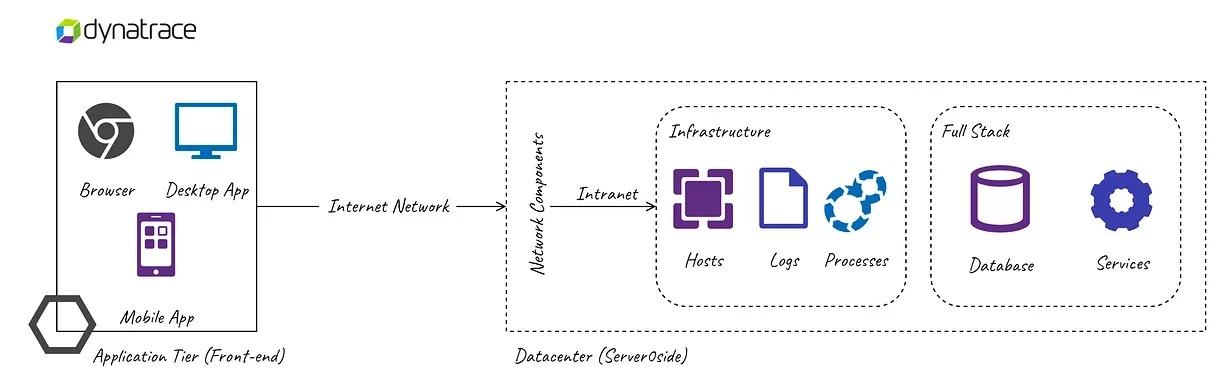
Part 1: Application level (Client/End-Users)
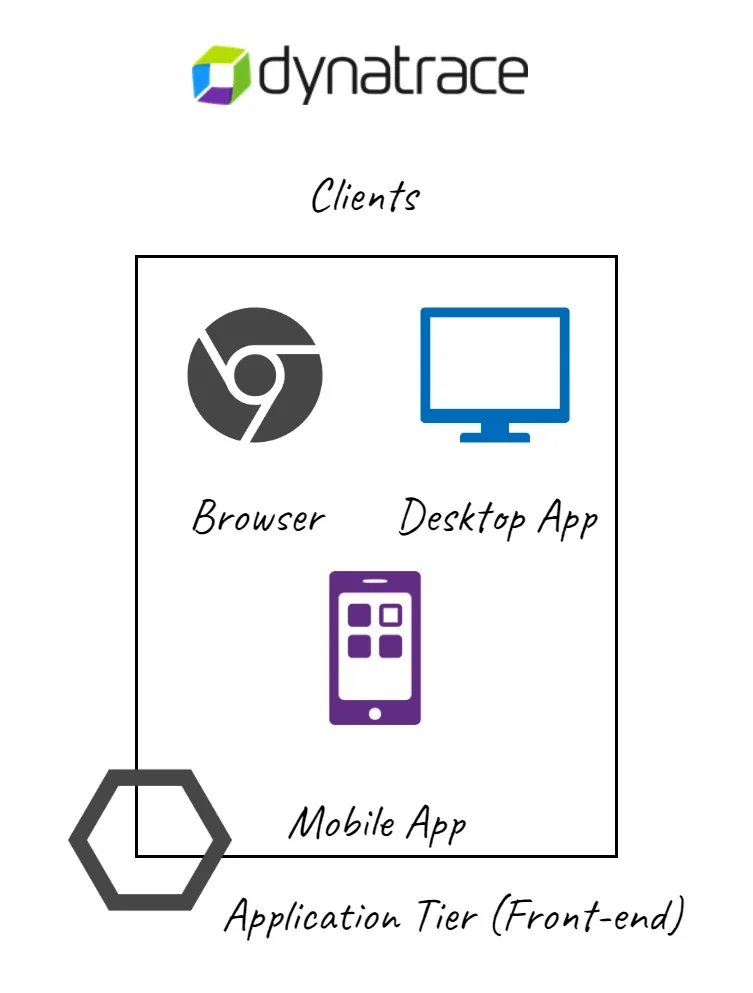
1. Thick and Thin Clients: (Point 1 and Point 2)
To understand the performance or to detect the issues that are there in any application, we need to understand the application. You cannot simply use Maps without knowing how to navigate. A good performance engineer puts first thing first in understanding an application and know its functionalities. Without that, it is difficult to help developers with measures to improve the quality/performance of the application. Each interaction a user does with that app must be known to the engineer. If not, he/she should take time in understanding it. If they are in a customer place where they are not having access to the application, they should insist application teams show them how that app works.
Understanding the comparability of the application is also plays an important role. I have collected a few important pieces of information you need about an application you analyze; irrespective of the type of device you should know these,
- Support for Operating System
- Browser Compatibility
- Size of the application
- Security Protocol
- The device it is running on (Smartphones)
- User Journeys (End to end)
- Session attribute details (Advanced and Optional)
- How the browser works and how it renders HTML(5) elements (Advanced & Optional)
- Web requests — Pages of the application. Activities in case of mobile apps (Advanced and Optional)
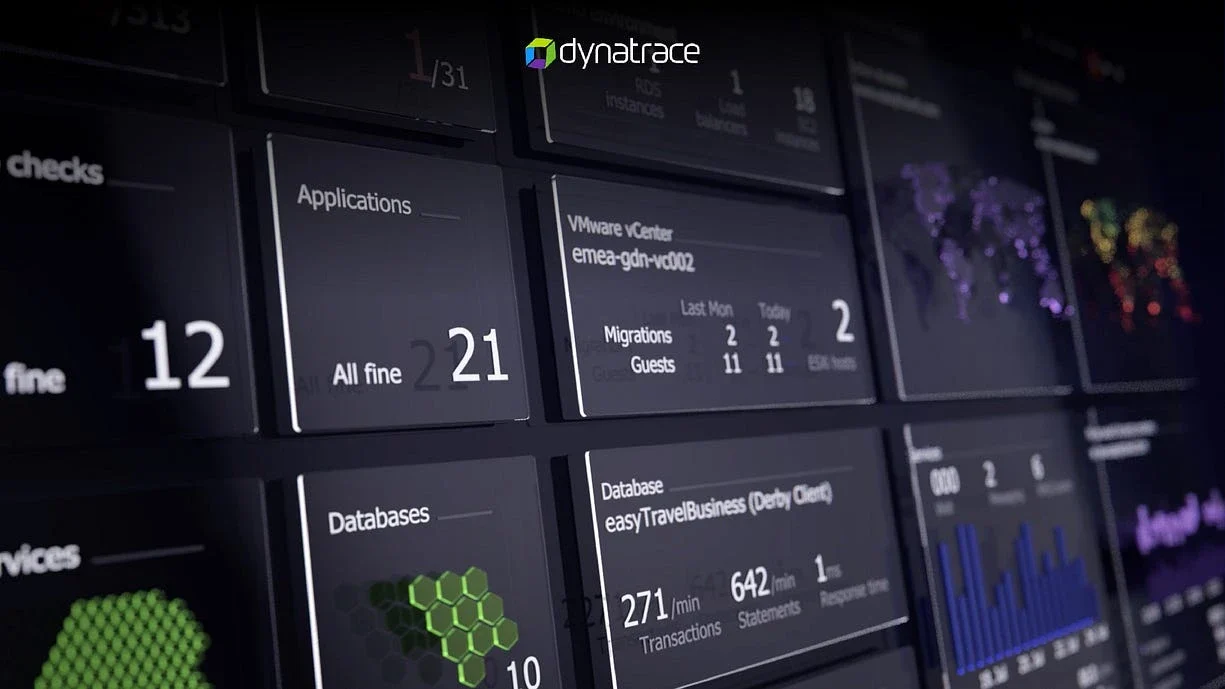
Mobile Devices and Client Machines are the application level points to concentrate on. This is also called Real User Monitoring (RUM) or User Experience Monitoring (UEM) in our Dynatrace terms.
Part 2: DataCenter Level (Infrastructure and Network)
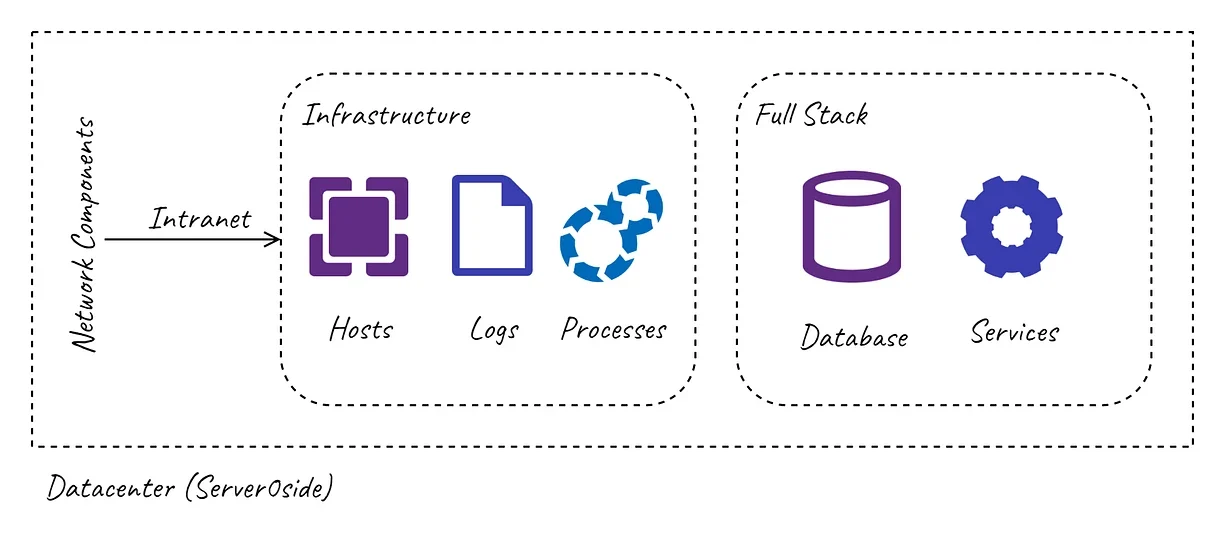
Infrastructure
When you request some data from the website or an application you are using in our case, pet shops near you. The browser requests it from the server. The data is sent from the server through the network depends on the quality of the server and the number of users like you requesting the response for their other queries. Sometimes if there are several parallel users are using the application, the server might slow down in executing the queries and send the response. This depends on server infrastructures like CPU speed, Memory, and Disk IOPS — these metrics are the basic KPIs in determining the quality of the server.
Hence, the first point of infrastructure is the server itself. We call them Hosts.
3. Hosts (Point 3): Key Performance Metrics of hosts are CPU, Memory, Disk. We will discuss others at some time. So, as a performance engineer, you need to know about these metrics, and what causes slowdown and latency issues on disk, how CPU is used, and How memory consumption is causing the issue. To find the root cause in the server, you should understand what is installed in it as well. Let’s move on to them one by one.
4. Processes (Point 4): A Process is an instance of a program that is running on the computer. For example, you are using Google Chrome Browser and when you are open it and it starts running — This is now called a process. It also has the name that is, chrome.exe.
These processes are responsible for applications to run. So now what happens in the host, an application is deployed in it and that application is running and it is built on some technologies like, Python, .NET, NodeJs, Java, and others. A performance engineer should understand that technology based on how they behave in the server or on the host. For the particular application that you are monitoring, you should understand the processes responsible for the application on the particular host. In our case, maps are the application and it is hosted somewhere on Google or Apple DataCenters. These processes have services in which through services, they satisfy the requests from the client. For eg, maps have mapsprocess and it has got a service where it checks for the keyword and gives you the location details for the pet shop. So to be clear, Applications that are running are called processes and these processes have many different services. Each process can have multiple services as well.
If you want a clearer example of the process at an enterprise-level, you can consider your Web Server IIS or Tomcat or Express or WebSphere. All these are web servers in which when they start running they will become processes and when we host the application in it, it becomes an application process because the application is running in it. Before moving on to the next point, we should know the real difference between the application server and web server,
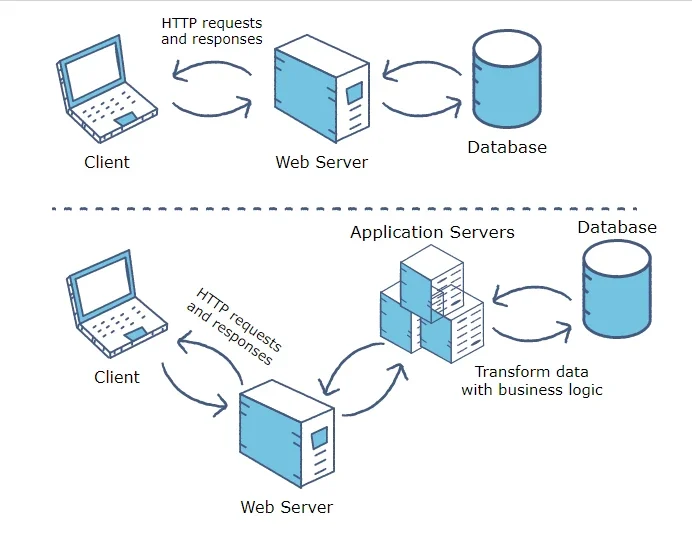
Application Server: Application servers are used to deliver dynamic content like transactions and responses from DBs or any transactions related to business login. In our case, the application server is used to communicate with the business logic algorithm and get you the results for a pet shop based on your location. But, requests must go through a web server to app servers.
Web Server: Web servers are those who deliver the response to and receive requests from the client. If requests from the client are demanding static content (like HTML, CSS content), it will deliver as a response without the intervention of the app server but if it requires querying DB and execute business logic (Getting your location and querying the nearest pet shop), it sends that request to the app server.
Note: Until I write this article, I didn’t know exactly what app and web server does. Sometimes, writing does help in understanding concepts.
Let’s move on to understanding what services are in our deep journey of understanding 8 Point Analysis.
5. Services (Point 5): A service is a software that performs automated tasks, responds to hardware events, or listens for data requests from other software. In a user’s operating system, these services are often loaded automatically at startup, and run in the background, without user interaction. In short, we can consider services as small routines performed on the host/server to execute a task or monitor the events. When it comes to performance engineering, services play an important role in monitoring the calls that are made by the application process. We can also call these services transactions. Each request called by the end-user is served by a service, for example, delivering you the result of nearby pet shops is carried out by a service with a name. Hence, to analyze any error related to the slow response time for the requests, are seen in transactions and services. Response time is a time where a service responds to a particular request upon receiving them via application processes.
The health of a service is determined by its response time, failure rate, and ability to handle the throughput. Throughput is the rate of several requests that are received in a given time. The failure rate is determined by the failures that occurred to the service request or were not able to serve the request received. If there are 1000/requests per minute and out of 1000, the service failed to the server for any 10 requests, then the failure rate would be 1% for that service every minute.
To summarize services, their health is determined by their response time, throughput, and failure rate. To go deeper into it, these services can call Databases. That is what we are going to discuss next.
6. Database (Point 6): The name says, It is the base for storing data whether it is a media or text or even events. Every request that requires data is stored in a database. Almost every dynamic applications use a Database. In simple terms, a text/FLAT file to MongoDB are all databases. The database is often referred to as DBs. When an application process needs to send data that is stored previously to the web server, it calls a service that is responsible to query the DB and get the response from it. Higher the number of calls, it depends on the resource available for the service and Database quality to deliver results. We need not go deep into that now but we found another entity that affects the performance of the application.
When there is a slowness in the application, slowness in executing DB queries might be one of the issues. So monitoring the health of the Database is a job for a performance engineer and process and service monitoring underlying the host.
Till now we understood the end-user level/application level and Infrastructure level along with what is underlying on the infrastructure like processes and services. Now, let’s move on to Network that connects Application End users and their infrastructure. Without the network connection, whatever we talk about will not work. Network insulates the whole architecture of our 8-Point Analysis. It acts as a bridge for communication no matter wherever you are, it still connects as long as you have your internet/VPN connection handy
Network
7. Network (Point 7): What it takes to measure the performance of the application? Consider that you are in New York and the data center is in Detroit, how do you connect to the server? The network does that job. You can also call this the Internet. It uses TCP/IP protocol to connect with the server. How fast you get the result for your query is also depends on the network you are in. You cannot expect to download a file of 1GB within a second with a speed of 10MBPS. So, application performance can also be monitored through its network. Slower the speed of your internet, the more time it takes to send and receive the data. To improve the efficiency of your applications, developers use many techniques like caching, CDNs, Cookies, and other methods. They optimize their code so that the size of the data always stays less so that it can be transmitted through the network quickly. There are 3 concepts in Network to monitor it,
- Retransmission Rate: Resending of Packets that are dropped while sending data over a network.
- Packets Drop: Number of Packets dropped while sending the data to the client or the server over the network.
- Quality: Performance of the network between all the components that are in the same network or on the client/end-user side.
The final point and the most important part of all is Datacenter itself where all the infrastructure is hosted. It can be a huge 100-acre building or a cloud service provider where they have 100s of acres of infrastructure and maintain behalf of us and provide all required services at a cost.
Datacenter
8. Datacenters (Point 8): This comes in 2 types, Traditional and Cloud-Based Solutions. Traditional solutions are completely managed by a company and everything in it belongs to the particular company. Cloud-Based Solution includes IaaS, SaaS, and PaaS services. We rather refer to this as Cloud-computing. Datacenter connects every infrastructure component with the network. It also provides services like Databases, Serverless Computing, and other resource-based solutions. You might have heard of Virtual Machines (VM) somewhere, every host/server we create in this cloud computing is VM. These are created over the physical Computer using Hypervisor Technology. Different VMs are reserved to use some amount of resource in a physical host and that is accessed by you through the network with the right credentials.
The availability of the application is directly proportional to the quality of Datacenter and the network in it. If a Datacenter is down, your application will be down as well so companies often replicate the infrastructure to get high availability. They also use a redundancy mechanism for the services to keep data safe (Databases and Application Status). Monitoring of Datacenter is the base for all components to a performance engineer. One should maintain the availability factor close to 100% with composite SLAs with the cloud service providers (No one can promise 100% uptime of all the services. Closest would be, 99.99999%)
As we see above, this 8 point analysis and the dependency analysis of all these points help any engineer to measure the performance of the applications. In this article, I did not go deep into each concept that has been [resented here but I wrote this article to give any readers an insight into performance engineering. It answers How applications that we use communicates and what are the responsible factors for their performance. I feel everyone who uses technology should know this.
Surprisingly, this 8-point analysis is not discovered by me and I am not the one who explained this. It was explained by my mentor and my senior, Mohammed Ibrahim. He explained it to me and told me how to observe an application when we fail to find the root cause of any critical problems.
Happy Reading and Keep Smiling. Have a great weekend. Also published in linkedin.com